Getting Cited in AI Search: A Nonprofit Guide to AI Overviews, Query Fan-Out and AI Crawlers
Picture a food bank that publishes a careful page on how to volunteer. It ranks on page one. Then someone asks Google the same question, and the answer at the top of the results names two other organizations, summarizes the process, and never mentions the food bank at all.
Nothing was wrong with the page, exactly. It just failed one of three tests that decide whether an AI system uses your content:
- Can the system read the page? If key content only appears after JavaScript runs, or your robots.txt quietly turns the bot away, you're out before the contest starts.
- Does the page hold up when the question splits? AI search breaks one question into many smaller ones. A page that answers only the first question gets replaced by pages that answer the rest.
- Does the system trust you enough to name you? Rankings, mentions on other sites, and visible expertise decide who gets the citation when several pages say the same thing.
This guide goes through all three in that order, because that's the order in which they fail. It draws on three detailed Search Engine Land guides (on AI Overviews, query fan-out and AI crawlers), Google's own documentation, and the studies those guides rely on. Where the evidence is thin, I say so. Where something is marketing lore, I say that too.
The short version
- AI Overviews, AI Mode, ChatGPT search, Perplexity and similar tools expand one question into a set of related searches, pull passages from several sources, and write a single answer with citations.
- Most AI crawlers read raw HTML and don't run JavaScript. Content that only appears after scripts load is invisible to them.
- Pages that answer the main question plus its natural follow-ups get cited more consistently than pages that answer one narrow slice.
- Ranking well in normal search still correlates strongly with being cited. AI visibility is built on top of SEO, not instead of it.
- Since August 31, 2026, every site has an AI performance report in Google Search Console, plus a setting that removes the site from Google's AI features. Check which way that setting is set.
What happens between the question and the AI answer
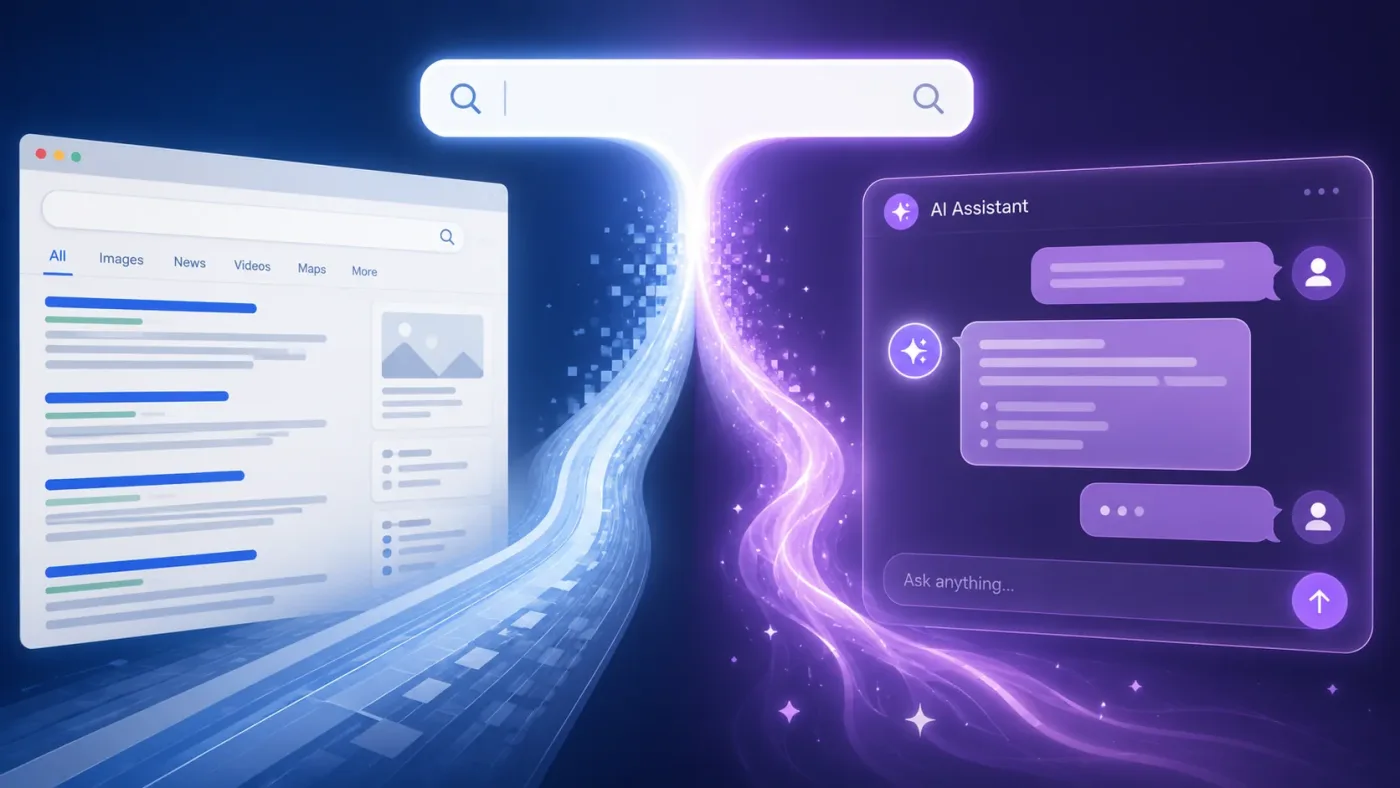
When someone types a question, Google first works out what they mean and which entities are involved: a place, an organization, a process. If it decides a generated answer would serve the person better than a list of links, Gemini writes one, using pages from the index and structured sources like the Knowledge Graph. Each part of the answer links back to the page it came from.
Depending on whose data you trust, AI Overviews now appear on as many as a quarter of Google searches.
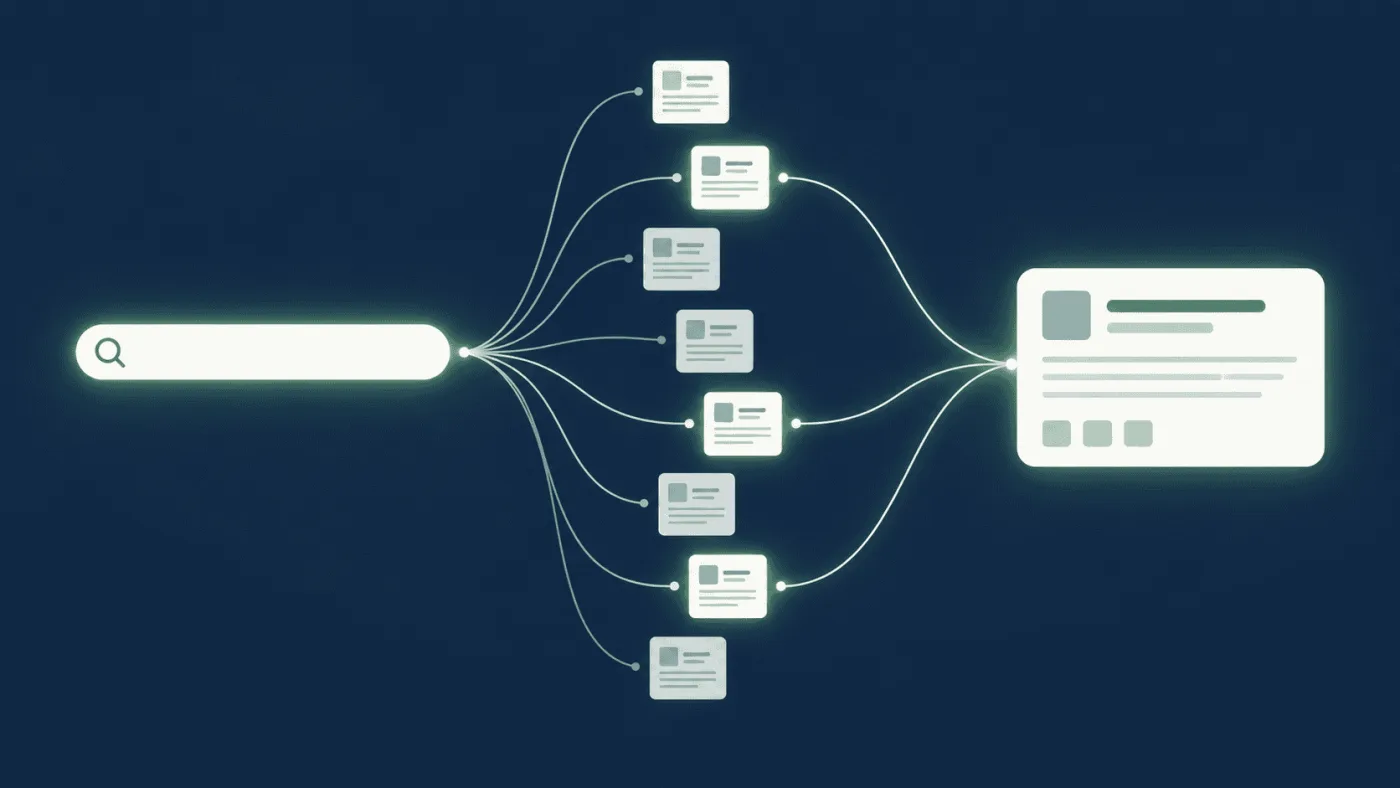
The step most people miss happens before the writing. Google's documentation says AI Overviews and AI Mode may use a technique called query fan-out: the system runs several related searches across subtopics and sources, then builds the answer from everything it found. Perplexity documents a similar multi-query approach, and assistants like ChatGPT, Gemini and Copilot break questions down the same way when they search the web, even if their documentation doesn't use the term.
So the system isn't grading your page against the question the person typed. It's grading it against a whole set of questions the person didn't type but probably needs answered. That one fact explains most of this guide.
It also explains why pages that don't rank for the main keyword still get cited. A page can be the best available source for one sub-question (cost, eligibility, a legal requirement) and get pulled in for just that part of the answer.
Layer 1: Can AI systems actually read your site?
This is the least glamorous layer, and the one that gets skipped most often, because nothing looks broken to a human visitor.
Your key content has to be in the HTML
Google's crawler downloads a page, then comes back and renders it, running JavaScript the way a browser does. Most AI crawlers skip that second step because it costs too much computing power. They read the HTML your server sends and stop there.
One widely shared test found that the fetchers behind Perplexity, Gemini, Claude and OpenAI's models all loaded plain HTML only. Whatever your scripts add after the page loads, those systems never see.
On a typical nonprofit site, the usual suspects are:
- program or event listings pulled in from a CRM or ticketing embed
- donation forms and impact counters loaded by a third-party script, where "CHF 1.2 million raised" only exists after JavaScript runs
- annual reports and stories shown through iframes or document viewer widgets
- content that appears only after someone clicks a button, applies a filter or scrolls
Tabs and accordions are usually fine, as long as the text sits in the page source and is only hidden with CSS. The real problem is content that gets fetched from somewhere else when a visitor interacts.
The two-minute check: open the page, right-click, choose "View Page Source", and search (Ctrl+F) for a sentence from the part you care about most. If it isn't there, AI crawlers probably can't see it either. For a side-by-side comparison, the free Chrome extension View Rendered Source highlights exactly what JavaScript adds to a page.
If your most important facts fail that test (who you serve, where, how to get help, how to give), fix that before you touch any content.
Decide who gets in, on purpose
Your robots.txt file lives at yoursite.org/robots.txt and tells crawlers what they may request. AI companies generally say their bots respect it. Keep in mind that it's a request, not a lock.
The useful distinction for a nonprofit is between bots that fetch pages to answer questions and bots that collect text to train models. Several providers now run these separately:
| Provider | Answering and search | Model training |
|---|---|---|
| OpenAI | OAI-SearchBot, ChatGPT-User | GPTBot |
| Anthropic | Claude-SearchBot, Claude-User | ClaudeBot |
| Perplexity | PerplexityBot, Perplexity-User | not listed separately |
| Googlebot (Search, including AI Overviews and AI Mode) | Google-Extended, a control token that also covers grounding in the Gemini app | |
| Common Crawl | none | CCBot, an open dataset many models are trained on |
Bot names and their jobs change. Check each provider's crawler documentation before you copy anything into your own file.
My default recommendation for most nonprofits is to allow all of them. Your mission benefits when an assistant can explain what you do and point people to you, and being part of what models already know about your cause has value of its own. Block training bots only if you have a concrete reason, such as paid training materials or a curriculum you license to others.
If you do decide to split, the pattern looks like this:
# Answer and search engines: allowed
User-agent: Googlebot
User-agent: Bingbot
User-agent: OAI-SearchBot
User-agent: ChatGPT-User
User-agent: Claude-SearchBot
User-agent: Claude-User
User-agent: PerplexityBot
User-agent: Perplexity-User
Disallow: /wp-admin/
Allow: /wp-admin/admin-ajax.php

# Model training: blocked (only if you have a reason)
User-agent: GPTBot
User-agent: ClaudeBot
User-agent: CCBot
Disallow: /

# Everyone else
User-agent: *
Disallow: /wp-admin/
Allow: /wp-admin/admin-ajax.php

Sitemap: https://www.example.org/sitemap.xml
A crawler follows only the most specific group that names it, which is why the shared rules repeat in each group. I left Google-Extended out of the blocked list on purpose: blocking it can also keep your pages out of the answers the Gemini app builds from search, which is the opposite of what most nonprofits want.
Two things robots.txt will not do. It won't hide a page that other sites link to, because the URL can still surface through those links. And it won't protect anything sensitive. Beneficiary case files, internal PDFs, staff lists and safeguarding documents belong behind a login or off the public server entirely, not behind a Disallow line.
Google's opt-out now lives in Search Console
One detail catches people out. Blocking Google-Extended does not remove you from AI Overviews. Those are part of Google Search, fed by the same Googlebot that ranks you in normal results.
The actual control is in Search Console. As of August 31, 2026, Google has rolled out a setting to every site worldwide that lets you opt out of its generative AI features in Search: AI Overviews, AI Mode and AI Overviews in Discover. Google says the choice isn't used as a ranking signal for regular results, but sites that opt out get no traffic or impressions from those features.
For almost every nonprofit, the right answer is to stay in. Log in, find the setting, and confirm nobody switched it off during a well-meant privacy clean-up.
Meta tags like noai: a signal, not a shield
You'll see advice to add noai, noLLM or noimageai to a page's robots meta tag or X-Robots-Tag header. These are voluntary conventions. A few crawlers may honor them, and most providers haven't said either way. Use them if they express your preference, but don't count on them as protection.
The same goes for robots.json and ai.txt. The first is an idea without a specification. The second is an academic proposal from 2025 with almost no real-world adoption. Neither deserves your time yet.
Sitemaps, dates and speed
These are old SEO basics that matter a little more now.
XML sitemap. List only the pages you want found, keep it updated automatically, give it accurate lastmod dates, and reference it in robots.txt. Any mainstream WordPress SEO plugin handles this.
Dates in structured data. Mark up datePublished and dateModified in your Article schema. Showing both dates to readers can backfire in regular search: one practitioner saw click-through rates drop when both dates were visible, while Google kept displaying the old one. The schema is the cleaner place to signal an update.
Speed and stability. Crawlers can only read what loads. Slow or erroring pages mean fewer pages crawled per visit and less frequent return visits. You don't need a perfect Lighthouse score. You need pages that load fast and don't time out.
llms.txt: cheap, unproven, optional
llms.txt is a proposed Markdown file at your site root that lists your key pages with short descriptions. Jeremy Howard of Answer.AI suggested it. No major AI company has said it uses the file. Crawl logs show some bots requesting it, but nobody has shown that it changes what gets cited, and one test that tracked ten sites found no measurable effect.
My take: if your SEO plugin turns it on with a single switch (Yoast and Rank Math both offer this), turn it on. If it would take your developer a week, spend that week on your HTML and your content instead.
There is no "submit to ChatGPT" button
You can't ask AI crawlers to visit. What you can do is make sure the search indexes they lean on already have your pages:
- Submit your sitemap and request indexing for key pages in Google Search Console.
- Do the same in Bing Webmaster Tools. Plenty of nonprofits have never opened it, and it's free.
- Link every important page from somewhere on your own site. Orphan pages get found last, if at all.
- Earn links from other sites. They're still how crawlers discover you in the first place.
If a page isn't in regular search, it's unlikely to appear in AI answers built on top of search.
Cloudflare's pay-per-crawl and AI Index are worth knowing about (both were in private beta when Search Engine Land covered them), but they mostly solve problems for publishers, not nonprofits.
Layer 2: Does your page survive the fan-out?
Once a system can read you, the question becomes whether your page is useful for enough of the sub-questions it generates.
What fan-out looks like for a real query
iPullRank, which has studied how Google expands queries, groups the generated sub-queries into eight types. Here's how that plays out for a question an environmental nonprofit might want to own: how to start a community garden.
| Type | What it is | Example sub-query |
|---|---|---|
| Equivalent | Same intent, different words | steps to set up a community garden |
| Follow-up | The next obvious question | how much does it cost to start a community garden |
| Generalization | A broader version | how to start a neighborhood project |
| Specification | A narrower version | how to start a community garden on city-owned land |
| Canonicalization | The tidy, standard phrasing | community garden setup guide |
| Translation | The same question in another language | Gemeinschaftsgarten gründen |
| Entailment | Something implied further down the line | who is liable if a volunteer gets hurt in a community garden |
| Clarification | A check on what the person means | starting a new garden, or joining an existing one? |
A page that only lists "ten steps" answers the first row. A page that also covers cost, access to land, liability, and the difference between starting a garden and joining one answers most of the table. The second page is the one that keeps getting pulled in as the query branches out.
The translation row matters more for European nonprofits than for most. If you work in Switzerland, Belgium or the Balkans, the same question gets asked in several languages, and a well-made page in the local language often has very little competition.
Where to find your sub-questions
You don't need a paid tool to build the list. Four sources will get you most of the way:
- The current AI Overview for your main query. The topics it covers are Google's own view of what matters. Note which subtopics it cites someone else for.
- People Also Ask boxes and related searches on the same results page.
- Assistants. Ask ChatGPT, Claude, Gemini or Perplexity the main question and read what they add without being asked. That's fan-out made visible.
- Your inbox. Nonprofits undervalue this one. The questions volunteers, donors, applicants and partners send you by email and phone are exactly the follow-ups a model will generate. Whoever answers your front desk knows your fan-out better than any keyword tool.
Put the questions in a spreadsheet, merge duplicates, and mark which ones your page answers today.
One strong page per topic, not ten thin ones
Classic SEO taught the hub-and-spoke model: one main page plus separate pages for each subtopic, all linked together. That still works for site structure and regular rankings. What changes is the standard for each individual page, because each one now has to make sense on its own.
For a nonprofit program page, "on its own" means a stranger can learn all of this from that single page:
- what the program is and who runs it (your organization's full name, not just "we")
- who it's for, and who it isn't for
- where and when it runs
- what it costs, or that it's free
- how to apply, join or refer someone, and what happens after that
- the one or two questions your staff answer every single week
If those answers are spread across five URLs, a system working through the fan-out may take its pieces from five different organizations instead.
Write so each section can be lifted out
I covered this in detail in How to Write Content That AI Models Actually Cite?, so here's the condensed version for fan-out:
- Use question-style or claim-style headings that match the sub-questions on your list.
- Answer in the first one or two sentences under each heading, then explain.
- Keep one idea per paragraph.
- Name things explicitly. "The Riverside Garden Network runs three plots in Zurich's District 4" gives a model entities and the relationships between them. "We run a few plots in town" gives it nothing to work with.
- Use numbers, dates and named sources. The Princeton-led study that coined the term generative engine optimization (GEO) found that adding statistics, quotations and citations raised a source's visibility in generative answers by more than 40%. It tested generative engines in general rather than AI Overviews specifically, but practitioners report the same direction in Google.
Chunking and "semantic triples": do them for people
Two tactics get passed around a lot right now.
Chunking means breaking content into short, self-contained sections. Google has said plainly that it doesn't want people carving content into bite-sized pieces to game AI systems. Write clear sections because human readers scan, and the machine benefit comes along for free.
Semantic triples means writing key claims as subject, verb, object: "The program provides free legal advice to asylum seekers." HubSpot reported a 642% jump in AI citations after rewriting pages this way. That's one company reporting on its own site, so treat it as an anecdote. Write your main claims as clean triples and let the rest of the page sound like a person wrote it.
Freshness: update when the facts change
AI systems lean toward recent content. In Seer Interactive's data, roughly 85% of AI Overview citations pointed to content from the three most recent years in the study, and close to two-thirds of AI bot visits went to pages published or updated within the past year.
The same research found the effect depends heavily on the field. Fast-moving topics like finance show a strong recency bias, while how-to and evergreen content can keep attracting AI crawlers for years.
For a nonprofit, the practical rule is simple. When a fact on the page changes (eligibility, dates, fees, the contact person, last year's results), update it and let dateModified reflect the change. Don't touch the date just to look fresh.
Layer 3: Would AI trust you enough to name you?
When five pages cover the same sub-question, something decides which one gets the link. That something looks a lot like classic authority.
Rankings still predict citations
Ranking in the top ten of normal search is strongly associated with being cited. Depending on the study, somewhere between 40% and 76% of AI Overview citations also rank in the top ten for the query. Research by Authoritas and Rich Sanger found that a page in position one had about a 53% chance of being cited in the AI Overview, against roughly 37% for position ten.
Pages outside the top ten still get cited, usually for a specific sub-question they handle better than anyone else. But if your SEO basics are weak, AI visibility won't rescue you. It sits on top of them.
Get mentioned where AI already looks
AI Overviews draw heavily on a small set of domains. In Surfer's citation study, YouTube, Wikipedia, Google's own properties, Reddit and LinkedIn were the five most cited domains across all topics. In health, the list changed completely: the US National Institutes of Health came first, and Reddit and LinkedIn didn't make the top twenty.
So look up the list for your own field, then work on being mentioned on those sites. Several are already within reach for most nonprofits:
- Funder and partner websites. Foundations, government donors and coalitions publish lists of grantees and members. Make sure yours names you correctly, describes what you do in one clear sentence, and links to the right page. These are mentions you've already earned, so collect them.
- YouTube. A plain, well-titled video explaining how your program works counts as a source. It doesn't need a production budget.
- LinkedIn. Staff posting about specific work, with your organization named, creates mentions on one of the most cited domains there is.
- Local and sector press. A press release about something real (a new service, published results, a partnership) still produces mentions that feed AI answers, especially in local results.
- Wikipedia. Only if your organization is genuinely notable, and never edited by your own staff. Conflict-of-interest edits get reverted and can cost you credibility.
Mentions help even without links. Links that carry your organization's name help more.
Brand demand counts
Search volume for an organization's name correlates with how often AI Overviews mention it. That finding came from larger, established sites, so read it as a direction rather than a rule for a small NGO. The practical upshot is the same either way: every campaign, event and partnership that gets people searching your name also works for your AI visibility.
Health, legal aid or money: the bar is higher
Google has historically held back AI Overviews on "your money or your life" topics, and when they do appear, citations tend to go to highly authoritative sources. If your nonprofit publishes medical information, legal guidance or financial advice, show who wrote and reviewed each page, what qualifies them, which sources you used, and when the page was last checked. That's E-E-A-T (experience, expertise, authoritativeness and trust) in practice, and it's the only realistic way to compete with government and hospital sites for citations.
Which questions should you target?
AI Overviews don't appear on every search. Semrush's analysis of what triggers them found a clear profile:
- queries of roughly three to five words
- low monthly volume (about 60% of triggering keywords had 100 searches a month or fewer)
- almost no advertising value (about 72% had a cost per click of $0.10 or less)
- low-to-medium keyword difficulty, rather than the easiest or the hardest terms
- mostly non-branded
Now read that list again as a nonprofit. Specific questions with low commercial value and informational intent describe most of what your audience searches for: "how to foster a dog in Geneva", "what to donate to a food bank", "how to apply for a youth exchange". Nonprofits are unusually well placed for this.
One caution: the profile is shifting. When AI Overviews first launched, more than 90% of them appeared on informational queries. By late 2025 that share had fallen to about 57%, with more showing up on commercial searches. My read is that donation-intent and "best charity for..." queries will see more AI answers over time, not fewer.
How to tell whether it's working
Start with Search Console's AI report
Search Console now includes an AI performance report, available to every site since the global rollout on August 31, 2026. It shows impressions from AI responses, AI Mode and AI Overviews, broken down by page, country, device and date. It doesn't show clicks.
Impressions without clicks sounds frustrating, but for this job it's what you need: evidence of whether your pages appear in AI answers at all, and which ones do. Record a baseline now, before you change anything.
Run a monthly prompt panel
Write 15 to 20 questions your content should answer, phrased the way real people ask them, and include some of the fan-out variants from your spreadsheet. Once a month, run them through Google AI Mode, ChatGPT, Perplexity and one other assistant. For each answer, note:
- Citation: is your page linked?
- Mention: is your organization named, even without a link?
- Share of voice: how often you appear compared with the two or three organizations you're usually listed alongside
- Coverage across variants: do you stay in the answer when the question is rephrased or narrowed?
- Position: are you named first, or last in a list of five?
- Accuracy: is what the assistant says about you actually correct?
Answers vary from one run to the next, so judge the trend over three months, not any single result. When an assistant gets your facts wrong, the cause is usually on your own page: something ambiguous, outdated or buried.
Check your server logs
If you or your host can access the logs, filter for the bot names in the table above. You'll see which AI crawlers visit, which pages they request, and whether they run into errors. It's the most direct evidence you have that layer one is working.
A 30-day plan for a small comms team
Week 1: Access. Run the View Page Source test on your ten most important pages. Read your robots.txt and decide, deliberately, which bots you allow. Check the generative AI setting in Search Console. Submit your sitemap to Google and Bing.
Week 2: Pick and map. Choose the three pages that matter most to your mission, for example a core program, how to get help, and how to give or volunteer. For each one, build the sub-question list from AI Overviews, People Also Ask, assistants and your inbox.
Week 3: Rewrite. Make each of the three pages answer its list. Answer-first sections, question headings, full names, real numbers, and dates in the schema. Fix anything that still depends on JavaScript.
Week 4: Authority and baseline. Check how funders and partners describe and link to you, and send corrections where needed. Plan one piece of digital PR tied to something real. Record your first Search Console AI numbers and run your first prompt panel.
Then repeat the cycle with the next three pages.
What I'd skip
- Obsessing over llms.txt, robots.json or ai.txt. Turn on what's free and move on. Don't build a strategy on proposals.
- Treating noai tags as protection. They're requests.
- Hidden text meant only for machines. It gets found, and it drags down trust in the whole site.
- Mass-produced FAQ blocks. Thirty one-line answers look like noise. Ten real answers look like a source.
- Blocking everything out of caution. For most nonprofits, the risk of being invisible is bigger than the risk of being summarized.
Frequently asked questions
Can a page rank in regular search and in the AI Overview at the same time?
Yes. Both draw on the same index, and many cited pages also rank on page one. A top ranking doesn't guarantee a citation, but the higher you rank, the better your chances.
Does structured data get you into AI Overviews?
Google hasn't confirmed that it does. It keeps encouraging structured data, though, because it helps Google understand the entities on a page. For a nonprofit, Organization, Article (with dates and author) and Event markup are worth having for regular search features anyway.
If I block GPTBot, will ChatGPT stop citing me?
Not necessarily. OpenAI documents separate crawlers for training (GPTBot) and for search (OAI-SearchBot), so blocking one doesn't block the other. Check each provider's current documentation, because these arrangements change.
Is this worth doing for a small organization?
Yes, possibly more than for a large one. The queries that trigger AI answers tend to be specific, low-volume and non-commercial, and that's exactly where small, focused organizations already have the most relevant knowledge.
Does old content still get cited?
It can. In some fields, evergreen how-to content keeps attracting AI crawlers for years. Update pages when the facts change, not on a calendar.
Sources
- Search Engine Land: AI Overviews optimization guide: How to rank in generated results, Curtis Weyant, updated April 2026
- Search Engine Land: Query fan-out optimization guide: How to rank in AI searches, Veruska Anconitano, updated April 2026
- Search Engine Land: How to optimize a website for AI crawlers and AI agents, Zoe Ashbridge, updated May 2026
- Search Engine Land: Google Search Console AI performance reports and Search generative AI control rolling out globally, Barry Schwartz, August 31, 2026
- Google Search Central: AI features and your website
- Aggarwal et al.: GEO: Generative Engine Optimization, KDD 2024
- Semrush: AI Overviews study
- Seer Interactive: AI brand visibility and content recency
- Surfer: AI citation report
- Rich Sanger and Authoritas: Google AI Overview link selection study
- iPullRank: Expanding queries with fan-out
- llmstxt.org, the llms.txt proposal